



Microsoft (NASDAQ: MSFT) and Google (NASDAQ: GOOGL) are urging the use of passkeys and hardware security keys in workplace authentication as digital identity attacks grow more sophisticated in this Agentic AI era.
On Monday, both tech giants announced upgrades to passkeys: Microsoft introduced Entra ID, while Google rolled out FIDO2-compliant physical security keys to improve their cybersecurity measures and avoid cyberattacks such as phishing and data breaches.
Passkey #1: Google’s FIDO2
On July 13, Google Credential Provider for Windows (GCPW) announced an update to support FIDO2-compliant physical security keys, which will act as a second factor for authentication in the Google ecosystem.

According to Google’s official press release, this update will help organizations improve their security by enabling administrators to enforce “2-Step Verification” (2SV) utilizing hardware security keys at the Windows login screen.
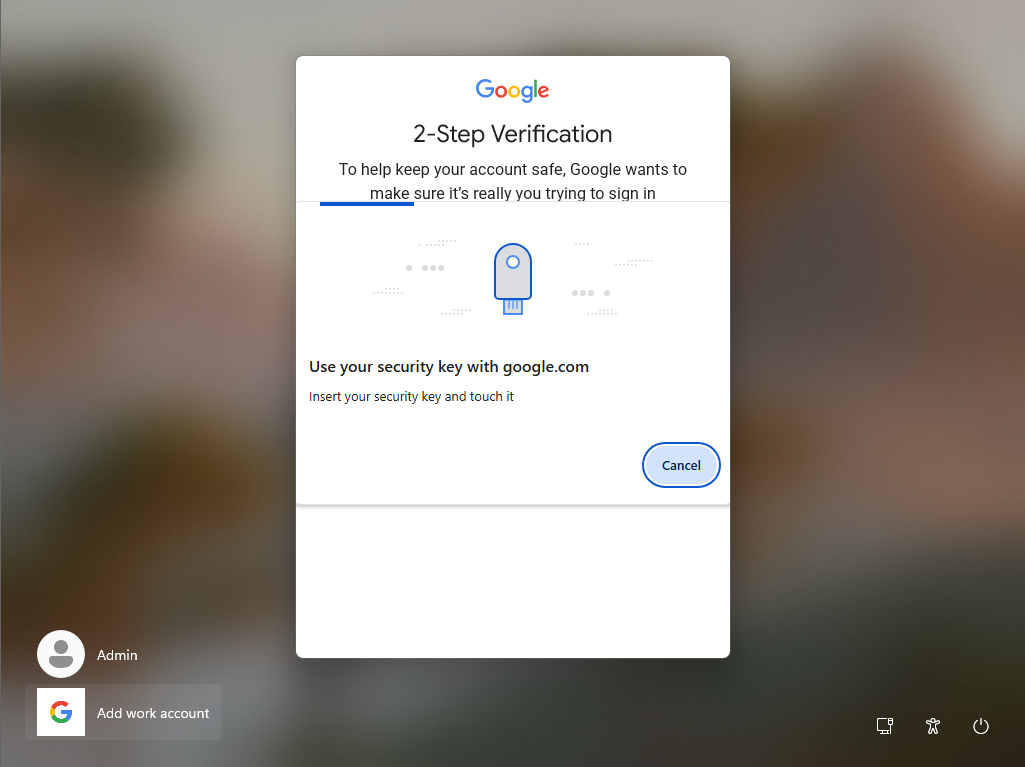
Additionally, the tech giant also said that “users can use passkeys from nearby Bluetooth-connected mobile devices for their second-factor authentication.”
With the new passkey in place, Google Workspace administrators can mandate users to complete their 2-Step Verification first by enabling an enforcement policy in the Google Admin console. Before proceeding with the policy, users may enroll in 2SV and register a verification method. The available methods include Google Prompt, an authenticator app, a security key, or a phone number.
Administrators can check the enrollment status in the admin console by navigating to Policy Settings > Security > Authentication > 2-Step Verification. The administrators can choose to apply it immediately or schedule it for a later date for designated organizational units or configuration groups.
Once the policy is activated, users must sign in with their password and a registered second verification method.
2-Step Verification (2SV) is a security process that requires users to complete two sequential steps to access an account. Similar to 2-Factor Authentication (2FA), 2-Step Verification (2SV) adds an extra layer of protection beyond just a password to help prevent the hijacking of your digital accounts, such as email, banking apps, and digital wallets.
Learn more about 2SV here.
Passkey #2: Microsoft Entra ID
Microsoft is updating its authentication system by enabling passkeys, the default phishing-resistant authentication method, to help customers reduce their reliance on phishable methods like SMS and voice.
Starting on September 1, Microsoft will roll out passkeys as the default authentication experience in the public cloud version of Microsoft Entra ID, the company’s identity and access management platform.
As the rollout is implemented across organizations, users with default SMS or voice authentication enabled will automatically be set up for passkeys. The next time they need to perform multifactor authentication, they will be prompted to register a passkey.
By February 1, 2027, the company will retire all Microsoft-provided telecom delivery for SMS and voice authentication.
Organizations that still need to use SMS or voice authentication methods can select one of the company’s telecom partners available through the Microsoft Security Store. Customers will be responsible for any telecom-related costs incurred from the selected partners.
“We strongly recommend moving users to passkeys or another phishing-resistant authentication method as soon as possible,” Microsoft said in a blog post.
“On September 18, 2026, we’ll share information on supported providers, deployment guidance, and technical documentation with pricing and commercial terms available through the Microsoft Security Store,” it added.
After Microsoft’s native SMS and voice services end, users who rely on these methods for multifactor authentication must register a passkey to sign in.
What are passkeys, and why are workplaces looking into them?
Passkeys are a form of passwordless authentication that uses cryptographic credentials and can be authenticated with biometrics or a device PIN. Unlike traditional passwords, passkeys are linked to a specific user and device, helping companies and organizations to modernize authentication while supporting super access to applications, systems, and important data.
Before the rise of passkeys, most forms of security relied on multifactor authentication, which is used alongside users’ passwords. Another security measure is one-time or time-sensitive codes sent via authentication apps or SMS to verify a user’s identity before entering their account password. With passkey authentication, users can sign in to their online accounts without worrying about their password or additional authentication, as passkeys are unique to each person and device, making them a difficult target for cyberattackers.
Among the key security benefits of using passkeys is increased protection against phishing attacks, reduced risk of account takeovers, and improved regulatory compliance.
Watch: Cybersecurity fundamentals in today’s digital age with AI & Web3



Be the first to comment