


Content
What is Polkadot
Polkadot is a next-generation blockchain protocol designed to solve the long-standing issue of siloed networks. Traditionally, blockchains operate independently, making it difficult for assets and data to move across ecosystems. Polkadot was built to remove these barriers.
At a high level, Polkadot functions as a foundational network layer that connects multiple blockchains. It enables seamless cross-chain asset transfers and secure data exchange, helping realize true interoperability across the Web3 ecosystem.
Its architecture consists of a central Relay Chain and multiple Parachains. The Relay Chain acts as the core of the network, providing shared security and consensus. Parachains are customizable blockchains built for specific use cases, such as DeFi, gaming, or other applications. This design allows each parachain to optimize for its own purpose while leveraging the security and scalability of the broader network.
Polkadot was founded by Gavin Wood, a co-founder of Ethereum, with the vision of building a more scalable and flexible infrastructure for Web3. Compared to traditional single-chain systems, Polkadot enables continuous upgrades without network disruption and supports a more adaptable, future-ready blockchain ecosystem.
Native Token DOT
DOT is the native token of Polkadot and plays a fundamental role across the network. It is not only used for transfers or transaction fees, but is also deeply embedded in governance, security, and network operations. DOT is designed around three core functions: governance, staking, and bonding.
In governance, DOT holders can propose and vote on protocol changes, including upgrades and parameter adjustments. This ensures Polkadot evolves through decentralized decision-making rather than relying on a central authority.
In staking, DOT is used in Polkadot’s Nominated Proof of Stake (NPoS) mechanism. Users lock their DOT to support validators who maintain the network. In return, participants earn DOT rewards for contributing to network security and stability.
In bonding, DOT continues to play a crucial role in resource allocation within Polkadot’s parachain architecture. As the traditional ‘slot auction’ mechanism is gradually phased out, Polkadot has transitioned to the Agile Coretime model for allocating core computing resources. Under this new system, DOT takes on enhanced utility for payments and resource scheduling.
What is Polkadot (DOT) Staking
Polkadot (DOT) staking refers to locking your DOT in the network to help support its operation and security, while earning staking rewards in return. Polkadot uses a Nominated Proof of Stake (NPoS) consensus mechanism, where network security and transaction validation are maintained by participants who stake DOT, rather than miners.
There are two main roles in Polkadot staking:
Validators
Validators run blockchain nodes, validate transactions, and produce new blocks. Becoming a validator typically requires strong technical expertise, reliable infrastructure, and a significant amount of DOT as collateral.
Nominators
This is the role most users take. Nominators do not need to run nodes. Instead, they lock their DOT and delegate it to trusted validators to participate in staking.
For most users, staking as a nominator is the simplest way to earn rewards while contributing to the network.
Important Notes for DOT Staking
Unbonding Period
Staked DOT is locked and cannot be transferred or used freely. When you choose to unstake, a 28-day unbonding period applies. During this time, your DOT remains frozen, cannot be used, and does not earn any rewards.
Slashing Risk
Staking comes with both rewards and responsibilities. If a validator you nominate behaves maliciously or performs poorly, such as going offline for extended periods or attempting to manipulate the network, a portion of their stake may be slashed. Since your DOT is part of that stake, you may also be affected. Choosing reliable validators is therefore critical when participating in staking.
Why Stake DOT with CoolWallet
Supported Products
Benefits of Staking DOT with CoolWallet
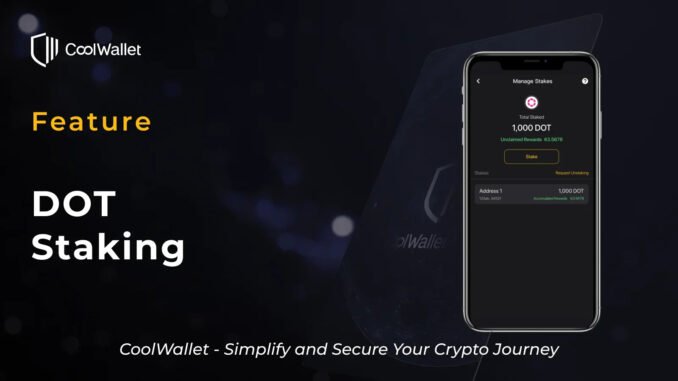
Staking DOT with CoolWallet allows you to earn rewards while maintaining a strong balance between security and convenience.
-
Full Self-Custody
CoolWallet is a self-custodial wallet, giving you complete control over your assets without relying on centralized intermediaries. -
Hardware-Level Security
With CoolWallet Pro or CoolWallet Go, your private keys are securely stored in a tamper-resistant chip, reducing the risk of exposure. -
Simple Mobile Experience
Easily stake, unstake, and manage your DOT directly through the CoolWallet App. The process is intuitive and accessible anytime, anywhere. -
Real-Time Tracking
Monitor your staking status and accumulated rewards in real time, so you always stay informed. -
Flexible Reward Management
Claim and manage your staking rewards anytime, giving you full control over how and when you realize your returns.
Instructions
Staking Overview
-
Rewards Based on Staked Amount
Staking rewards in CoolWallet are calculated based on the amount of DOT you stake. The more DOT you stake, the higher the potential rewards. -
Calculated Per Address
Rewards are calculated based on the total staked amount under a single address. If you add more DOT to an existing stake using the same address (Bond Extra), the new amount is automatically merged and included in reward calculations. -
Rewards Start After Bonding and Nominating
To begin earning rewards, you must first complete the bonding (Bond) transaction, followed by the nominating (Nominate) transaction. Rewards will only start accumulating after both steps are completed. -
Minimum Staking Threshold Required
Due to Polkadot’s bags list mechanism, the minimum staking amount required to earn rewards may change over time. If your staked amount is close to or below the current threshold, it is recommended to add more stake to maintain eligibility for rewards. -
Unstaking Requires Chill and Unbond
To unstake, you must first stop nominating (Chill), then initiate the unbonding process (Unbond). After that, your assets will enter the unbonding period. -
Full Unstake Only
Currently, unstaking must be done in full. Partial unstaking is not supported. -
28-Day Unbonding Period
After initiating unbonding, a waiting period of approximately 28 days is required. During this time, your DOT will not generate rewards. -
Manual Withdrawal Required After Unbonding
Once the unbonding period ends, you must manually initiate a withdrawal. Only then will your staked DOT be returned to your address. -
Staking Rewards Are Automatically Distributed
During the staking period, validators will automatically send rewards to your staking address, with no additional action required. If you regularly restake your rewards, you can benefit from compounding over time.
How to Add Stake
Step 1. Open the CoolWallet App, go to Wallet → Earn → DOT to enter the DOT Manage Stakes page.

Step 2. Tap Stake, enter the amount of DOT you want to stake, then tap Continue to proceed. It is recommended to keep a small amount of DOT for future unstaking fees.

Step 3. Review the transaction details and complete the Bond transaction.
Note: After bonding, if you want to unstake later, a ~28-day unbonding period is required before you can withdraw your DOT.

Step 4. After completing the Bond transaction, your DOT will be bonded on-chain. You will then be guided to complete the Nominate transaction to select validators.

If you are not automatically redirected or prefer to continue later, go to the Manage Stakes page, tap “Verification not completed. Please click here.”, and select Nominate to proceed.
Note: If you select Unbond, your assets will immediately enter the 28-day unbonding period after confirmation.

Step 5. Verify the transaction details and complete the Nominate transaction.

Step 6. Once completed, your DOT is successfully staked and will begin earning rewards.

When You May Need to Add More Stake
Due to Polkadot’s bags list mechanism, the minimum staking threshold required to earn rewards may change over time. If your staked amount falls below or is close to the latest threshold, rewards may stop accumulating.
In such cases, the app will prompt you to add more stake to maintain reward eligibility.
To check the latest minimum requirement, tap the “?” icon on the top right of the Manage Stakes page.

Step 1. Tap “Please click here to reconfirm your staking status” and proceed to add more stake.

Step 2. Enter the additional amount to meet the minimum requirement, review the transaction details, and complete the Bond Extra transaction.

Step 3. Once confirmed, the newly added DOT will be merged with your existing stake and continue earning rewards.

How to Unstake
Step 1. On the Manage Stakes page, tap Request Unstaking, and select the stake you want to remove.

Step 2. Review the transaction details and complete the Chill transaction.
Note: After completing Chill, your staking rewards will stop accumulating.

Step 3. After confirmation, you will be guided to initiate the Unbond transaction.
Note: Once Unbond is completed, your assets will enter a ~28-day unbonding period, during which no rewards are generated.

If you are not automatically redirected or prefer to continue later, go to the Manage Stakes page, tap “Action pending, click here to proceed.”, and select Unbond.

Step 4. Verify the transaction details and complete the Unbond transaction.


Step 5. Wait for the ~28-day unbonding period.

Step 6. When the status shows “Unlocked, please tap to retrieve your asset”, tap and complete the Withdrawal transaction.

Step 7. Once confirmed, your staked assetswill be returned to your DOT address.

FAQs
Q1: Can I transfer DOT while staking?
Staked DOT is locked and cannot be transferred, traded, or used. Unstaked DOT remains fully available for normal use. It is recommended to keep a small amount of DOT for future unstaking fees.
Q2: What is the minimum amount required for DOT staking?
The minimum staking threshold is determined by the Polkadot network and may change over time. You can check the latest requirement by tapping the “?” icon on the top right of the Manage Stakes page.
Q3: What transactions are required to start staking DOT?
You need to complete two on-chain transactions in order: Bond (lock DOT) and Nominate (select validators). Rewards will start accumulating after both are completed.
Q4: Can I unstake DOT at any time?
Yes. However, after initiating unstaking, you must wait approximately 28 days before your principal and rewards can be withdrawn. During this period, your DOT cannot be used and will not earn rewards.
Q5: How do I fully unstake and withdraw my DOT?
You need to complete three on-chain steps: Chill (stop nominating), Unbond (unlock DOT), and after the ~28-day unbonding period, Withdraw (claim your assets). Rewards stop accumulating once the Chill transaction is completed.
Q6: Can I transfer DOT during the 28-day unbonding period?
No. During the unbonding period, DOT is still locked and cannot be transferred or used for staking.
Q7: What happens if I don’t withdraw DOT after the unbonding period ends?
Your DOT will remain in an “unbonded” state. It will not disappear, but you must manually withdraw it to make it available again.
Q8: Do I need to manually claim staking rewards?
No. During the staking period, validators will automatically send rewards to your staking address, with no additional action required. If you regularly restake your rewards, you can benefit from compounding over time.
Q9: Are there any risks to staking DOT?
Based on the Polkadot network mechanism, poor validator performance may result in reduced or delayed rewards. CoolWallet partners with P2P.org, a well-known staking infrastructure provider with stable node operations and extensive experience, helping improve overall reliability.
Additionally, unstaking requires a ~28-day unbonding period, during which your assets cannot be used and will not generate rewards.



Be the first to comment