

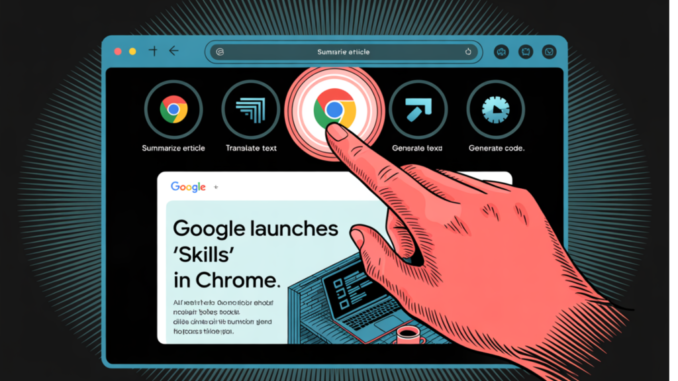

Google just announced the release of Skills in Chrome, a new feature built into Gemini in Chrome that lets users save frequently used AI prompts as reusable, one-click workflows called Skills. The rollout begins April 14, 2026, targeting Mac, Windows, and ChromeOS users who have their Chrome language set to English-US.
If you’ve been paying attention to how AI is being woven into operating systems and browsers over the past year, Skills in Chrome represents something more interesting than just a productivity shortcut — it’s an early glimpse at how prompt management and browser-level AI agents could converge.
The Problem It Solves
Anyone who has used Gemini in Chrome for routine tasks knows the friction: every time you navigate to a new webpage and want to perform the same AI operation — say, checking nutritional information on a recipe page or comparing product specs across tabs — you have to re-enter the same prompt from scratch. This isn’t just tedious; it’s a signal that browser-native AI tools have been missing a stateful, reusable layer between the user and the underlying model.
Skills in Chrome addresses this directly. Until now, repeating an AI task — like asking for ingredient substitutions to make a recipe vegan — meant re-entering the same prompt as you visited different pages. Skills fix this by turning a prompt into a persistent, named workflow that can be invoked on demand.

How Skills Actually Work
The logic is straightforward but worth understanding precisely, especially if you’re thinking about this from a systems design angle.
When you write a prompt that you’ll want to use again, you can save it as a Skill directly from your chat history. The next time you need it, select your saved Skill in Gemini in Chrome by typing forward slash ( / ) or clicking the plus sign ( + ) button, and your Skill will run on the page you’re viewing, along with any other tabs you select. You can also edit saved Skills and create new ones at any time.
Think of this as a lightweight form of prompt templating at the browser level — similar to how engineers working with LLM APIs maintain libraries of system prompts or few-shot templates for recurring tasks, except Skills surfaces that concept for end users through a browser UI rather than code.
The multi-tab execution capability is particularly notable. Rather than running a prompt against a single page, a Skill can be dispatched across several open tabs simultaneously — enabling workflows like cross-referencing multiple product pages for a spec comparison in a single pass. For users who have built multi-document retrieval pipelines, this is a recognizable pattern: the browser context serves as the retrieval corpus, and the Skill is the query template applied across it.
Early Use Cases and the Skills Library
Early testers have used Skills in Chrome to create personalized and powerful workflows for a wide range of tasks — including quickly calculating protein macros for any recipe, generating side-by-side spec comparisons across multiple tabs, and scanning lengthy documents for important information.
Beyond user-created Skills, Google is also launching a library of ready-to-use Skills for common tasks and workflows. The library includes pre-written Skills covering tasks like breaking down the ingredients of a product you’re viewing online, or selecting the perfect gift from multiple options by cross-referencing your budget with the recipient’s interests. Users can browse this library, add any Skill to their saved collection, and customize it to better fit their needs by editing the Skill and updating the prompt.
This is essentially a curated prompt library inside the browser — a design pattern that developers working with tools like LangChain or prompt management systems will find familiar, now abstracted away from the API layer and delivered to general users without writing a single line of code.
Security and Privacy Architecture
For AI professionals evaluating how this feature fits into enterprise or security-sensitive environments, the safeguards Google has built in are worth noting carefully. Skills are built on Chrome’s foundation of security and privacy, and they utilize the same safeguards applied to prompts in Gemini in Chrome. A Skills prompt will ask for confirmation before taking certain actions, such as adding an event to your calendar or sending an email. Additionally, Skills benefit from Chrome’s layered protections, including automated red-teaming and auto-update capabilities.
The confirmation-gate design before high-consequence actions — calendar writes, email sends — is a deliberate choice that reflects the broader challenge in agentic AI systems: ensuring that automated, reusable workflows don’t fire irreversible side effects without explicit user intent. This is the same problem that AI agent frameworks like LangGraph and AutoGPT have grappled with at the code level; Google is solving it here at the UX layer.
Availability and Management
Starting today, Skills are rolling out to Gemini in Chrome on Mac, Windows, and ChromeOS, for users with their Chrome language set to English-US. Saved Skills are available on any signed-in Chrome desktop device and can be managed by typing forward slash ( / ) in Gemini in Chrome and then clicking the compass icon.
Check out the Technical details here. Also, feel free to follow us on Twitter and don’t forget to join our 130k+ ML SubReddit and Subscribe to our Newsletter. Wait! are you on telegram? now you can join us on telegram as well.
Need to partner with us for promoting your GitHub Repo OR Hugging Face Page OR Product Release OR Webinar etc.? Connect with us
Max is an AI analyst at MarkTechPost, based in Silicon Valley, who actively shapes the future of technology. He teaches robotics at Brainvyne, combats spam with ComplyEmail, and leverages AI daily to translate complex tech advancements into clear, understandable insights



Be the first to comment