


Mirex Network is a mobile mining app that lets users earn Lumira (LUM) by tapping a button on their phone instead of running mining hardware. The project previously operated as Mira Network before a major rebrand into Mirex Network, which introduced a dual-token ecosystem built on the MRX-20 blockchain. The rebrand is positioned around three goals: AI verification, real-world asset (RWA) tokenization, and community participation.
Status: Active
Token: $LUM (Lumira)
Airdrop: Mobile mining rewards through the Mirex Network app

Chain: MRX-20 blockchain, previously called MIRA-20
Eligibility: Open to anyone with an Android or iOS device
Within that structure, Mirex (MRX) powers gas fees, smart contracts, and on-chain services, while Lumira (LUM) is positioned as a community-driven stable asset tied to real-world assets and the ecosystem’s overall growth. Getting started requires the app, an account, and an invite code entered during signup.
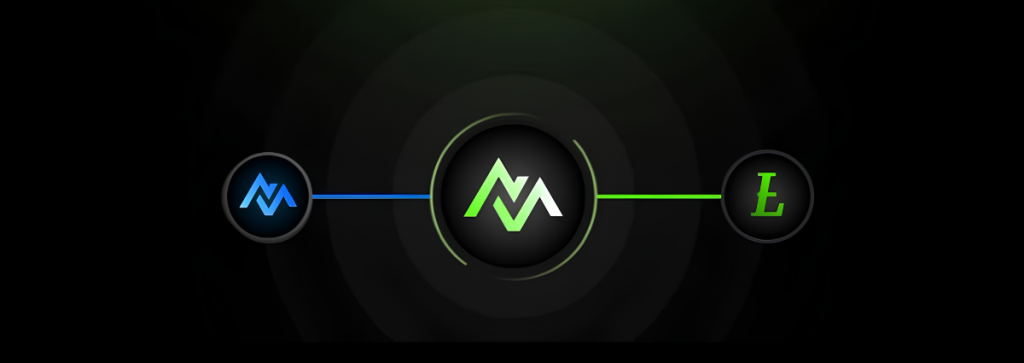
LUM is active, and mining is currently live alongside MRX, according to Mirex Network’s official channels. LUM and MRX serve different roles rather than one replacing the other: MRX handles the network’s technical backend, and LUM is the asset users actually accumulate through mining. Both run on the MRX-20 blockchain, so confirm in-app which token your mining activity is crediting before assuming a balance is LUM specifically.
How to Qualify for the Lumira Airdrop
Eligibility comes down to using the app itself rather than holding another asset or completing on-chain tasks. Anyone with an Android or iOS device can join, and the only real requirement is consistent app activity to keep earning. There’s no minimum deposit or hardware requirement described in the platform’s own materials.
How to Claim Lumira: Step by Step
Getting started takes just a few minutes, from downloading the app to your first mining session. Here’s the process from start to finish.
- Download the Mirex Network App. Get the app from the Google Play Store or the official Mirex Network site. Avoid third-party app stores or unofficial download links, since impersonator apps are common in mobile mining projects.
- Create Your Account and Enter an Invite Code. Sign up with a valid email and secure password, then enter an invite code during registration. Invite codes are typically shared by existing users or official channels.
- Start Mining Lumira. Tap “Start Mining” inside the app to begin accumulating LUM. The app describes this as requiring no additional hardware or electricity costs, since mining runs in the mobile session rather than through any physical process.
- Invite Friends to Boost Earnings. Mirex Network offers a +1 Lumira coin referral bonus to users who sign up using an active referral code. Share your code with friends to earn this bonus each time someone joins using it.
- Stay Updated on Official Announcements. Follow Mirex Network’s Telegram and X accounts for updates on token conversion terms, mining changes, or how MRX and LUM rewards get distributed going forward.
Risks to Consider
Mining Lumira comes with tradeoffs worth understanding before you get started. Here’s what to watch for.
1. Dual-Coin Confusion
Because MRX and LUM run on the same chain but serve different purposes, it’s easy to misread which token a mining session is actually crediting. Confirm in the app which balance is accumulating before assuming it’s LUM specifically, and don’t treat MRX activity as automatic LUM accumulation.
2. Scams and Phishing
Mobile mining apps are a common target for impersonator apps and phishing links disguised as official downloads or invite pages. Only use links from Mirex Network’s verified channels, and never share your wallet seed phrase or password with anyone claiming to help with the airdrop.
3. Unverified Backing Claims
LUM is described as a community-driven stable asset tied to real-world assets and ecosystem growth, but this claim isn’t supported by a public audit or reserve attestation in the material reviewed. Don’t treat LUM as fully collateralized or risk-free based on this description alone.
4. No Guaranteed Value
Mining rewards from any project can end up worthless if the underlying token never launches, never trades, or the project shuts down. Mine with the expectation that any LUM or MRX earned may not convert to tradable value.
Still Learning How Crypto Airdrops Work?
If this is one of your first airdrop campaigns, start with our crypto airdrops guide page to get a solid foundation on how airdrops work and what to look for. It is also worth checking the most common airdrop farming mistakes before you dive in, since several of them apply directly to campaigns like this one.
Frequently Asked Questions
Still deciding whether to join? These are the questions that come up most with mobile mining airdrops like this one.
Is Lumira a real cryptocurrency?
Lumira (LUM) is an in-app token tied to the Mirex Network mobile mining platform. Whether it becomes a tradable, listed asset depends on the project completing its token generation event and securing exchange listings, neither of which is confirmed in current public materials.
Do I need to pay to mine Lumira?
No, mining Lumira is free through the official Mirex Network app. There’s no upfront investment or specialized hardware required. Mining runs directly from your smartphone once the app is installed, though it’s worth checking current app store listings for any optional paid tiers before participating.
What’s the difference between Lumira and Mirex?
Lumira (LUM) and Mirex (MRX) are two separate coins within the same ecosystem, not one replacing the other. MRX is the native currency that powers gas fees and smart contracts on the MRX-20 chain, while LUM is positioned as a community-driven stable asset tied to real-world assets and ecosystem growth. They serve different functions, so check which one your mining activity is actually earning.
Can I withdraw Lumira tokens right away?
Withdrawing Lumira follows the standard ERC-20/MRX-20 transfer process: log into the wallet or exchange holding your LUM, select withdraw or send, and enter your destination address carefully, since these transfers can’t be reversed. Whether Mirex Network restricts withdrawals until a milestone like a token generation event isn’t specified in available source material, so check the app’s current terms first.


Be the first to comment