



Adding crypto payments to a business is rarely only about adding another option at checkout. Once payments start coming in, the business needs to connect them with orders or customer accounts, confirm transaction status, manage received funds, and decide what happens after each payment.
The NOWPayments API lets you connect this flow directly with a website, app, or platform. You can create crypto and stablecoin payments, show the required payment details inside your product, receive transaction updates, and connect the final result with your own order, balance, or customer logic.
This guide starts with the core integration. By the end of the main flow, you will know how to create a payment, use the returned data, track its status, verify callbacks, and prepare the integration for production. After that, we will look at how the same infrastructure can support payouts, conversions, balances, and treasury operations.
Quick Start: Integrate NOWPayments API in 7 Steps
Here’s the basic flow:

- Make a NOWPayments account and grab an API key.
- Keep that key on your server (don’t lose it). Send it in the x-api-key header.
- Pull the list of payment currencies and networks.
- Check the minimum amount, then calculate the crypto amount.
- Create the payment using POST /v1/payment.
- Save the payment_id, and show the details to the customer.
- Get IPN updates. Verify them. When the status is finished, tie it into your order or fulfillment system.
The sections below go through each step in detail.
For current endpoint schemas and parameters, keep the official NOWPayments API documentation open while you build.
Before You Start: Account Setup and Credentials
Before your application sends its first request, you need a configured NOWPayments account and the credentials used by the payment flow.
New NOWPayments accounts use Custody by default, so payments can be received into account balances without first connecting an external payout wallet. Businesses can later configure how they want to hold, convert, withdraw, or distribute those funds.
For more detail on balances, see the guide to NOWPayments Custody.
For the core API for payments, there are two credentials to understand first:
| Credential | What it does | When you need it |
| x-api-key | Authenticates requests from your application | Payments, currencies, estimates, and status requests |
| IPN Secret Key | Verifies callbacks received from NOWPayments | Automatic payment status notifications |
API key
Generate your API key in the NOWPayments dashboard and store it on the server.
Standard requests send it through:
x-api-key
Do not expose the key in browser code, a public repository, or another client-side application.
IPN Secret Key
The IPN Secret Key has a different purpose. Your application uses it to verify notifications received from NOWPayments.
The distinction is simple:
API key: authenticates requests your application sends.
IPN Secret Key: verifies notifications your application receives.
We will use the second key later when setting up IPN.
For current authentication rules, use the official API documentation.
How a NOWPayments Payment Flow Works
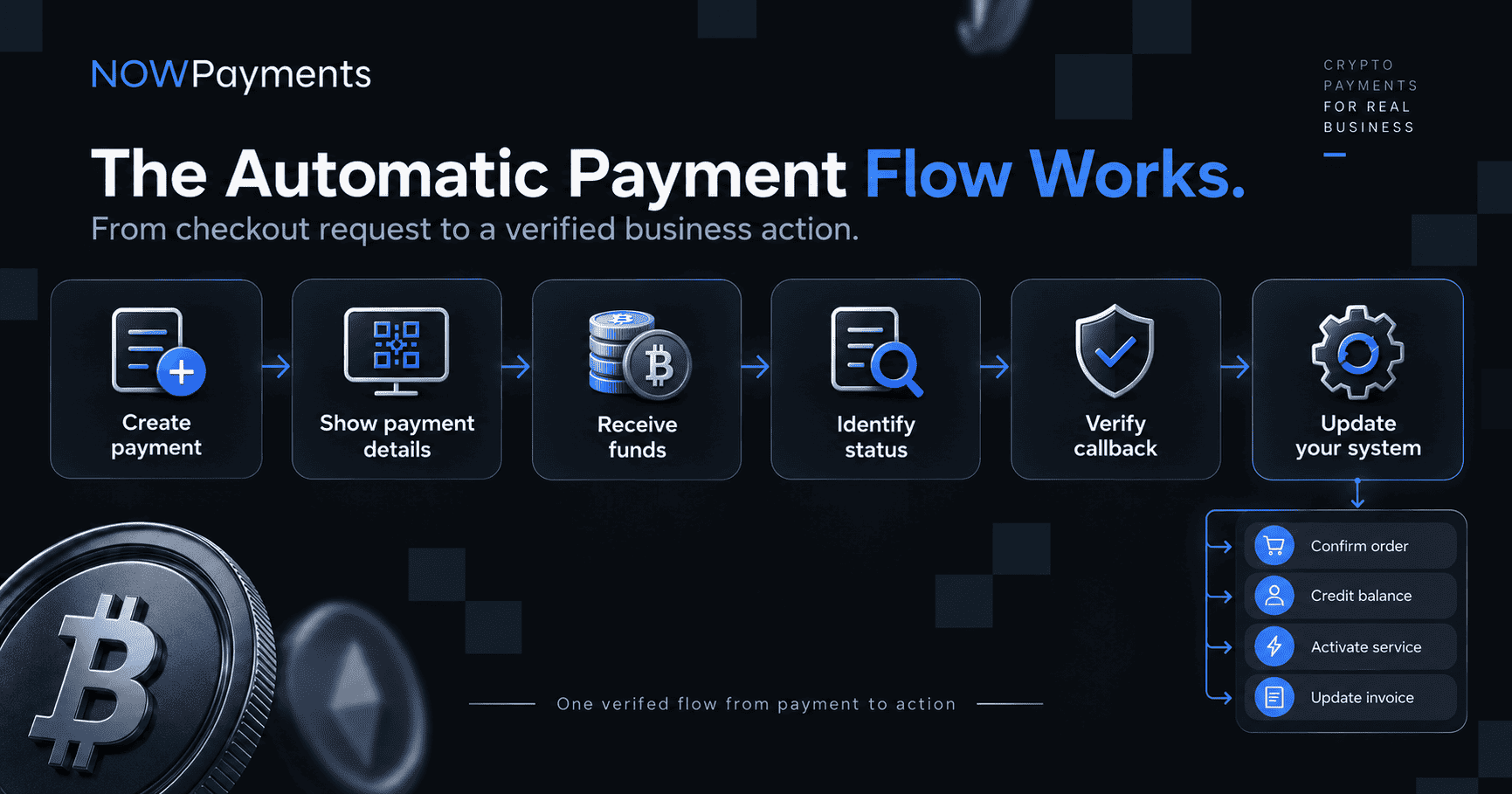
From the customer’s point of view, a crypto payment API flow is simple. They choose an asset, receive the amount and address, send the funds, and wait for the payment to complete.
Behind the checkout, your application has several jobs to do.
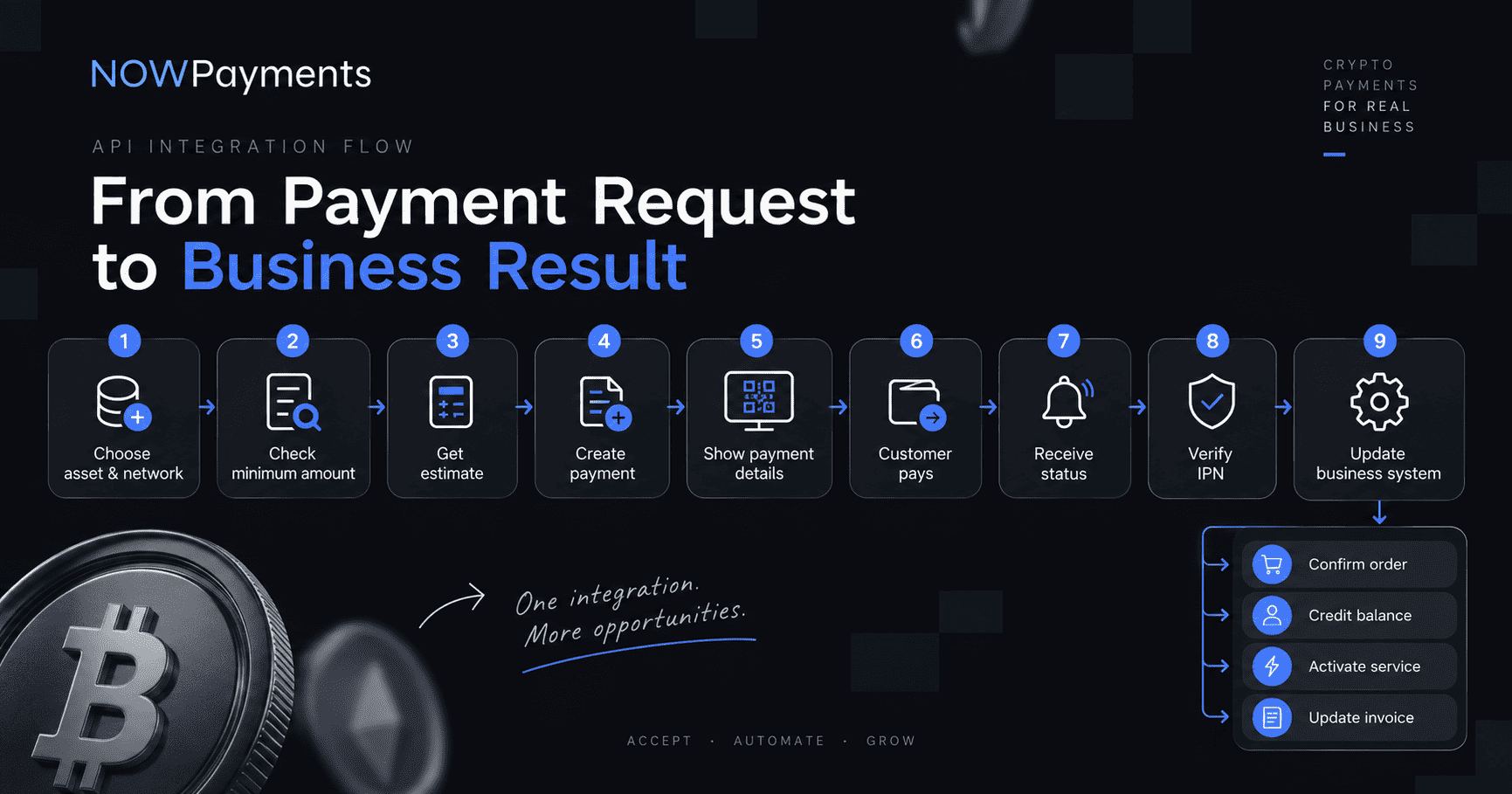
The API handles the payment data and processing. Your own application decides what happens when the transaction reaches the required state.
Step 1. Choose the Payment Currency and Network
Your checkout should not depend on a permanently stored list of payment currencies.
NOWPayments provides endpoints that let your application retrieve current availability:
GET /v1/currenciesThe documentation also includes methods for retrieving more detailed currency information and checking availability for the merchant account.
For a cryptocurrency payment API, the network can matter just as much as the asset.
USDT and USDC are available on multiple supported blockchain networks. A business may choose networks according to customer demand, transaction conditions, or the networks already used by customers and partners.
For example, USDT on Tron and USDT on Ethereum use different networks. Your application should work with the exact asset and network identifier rather than treating every USDT transaction as the same payment option.
This matters especially when stablecoins are central to the checkout. Instead of presenting every possible currency without context, a business can prioritize the assets and networks its customers actually use.
For more detail, see the NOWPayments guide to USDT networks for payments.
Step 2. Check the Minimum Amount and Calculate the Payment
Before creating a transaction, check whether the selected payment is large enough to process.
Use:
GET /v1/min-amountThe minimum depends on the currencies and transaction conditions involved. Checking it before payment creation helps prevent the checkout from offering a transaction that cannot be processed correctly.
Next, calculate the expected crypto amount:
GET /v1/estimateFor example, if an order costs 100 USD and the customer chooses USDT, the estimate tells your application how much the customer is expected to send under the current conditions.
Do not calculate the amount once and store it indefinitely. Rates and transaction conditions can change, so the checkout should work with current API data.
The API also supports options related to fixed rates and fee handling. Use the current documentation when deciding which configuration fits your payment flow.
Step 3. Create a Payment
The main request for creating a payment is:
POST /v1/paymentHere is a complete URL example:
curl --location 'https://api.nowpayments.io/v1/payment' \

--header 'x-api-key: YOUR_API_KEY' \

--header 'Content-Type: application/json' \

--data '{

  "price_amount": 100,

  "price_currency": "usd",

  "pay_currency": "usdttrc20",

  "ipn_callback_url": "https://merchant.example/webhooks/nowpayments",

  "order_id": "ORDER_12345",

  "order_description": "Premium plan"

}'
The payment API documentation should remain the source for the complete request schema and current field requirements.
The main fields in this example are:
| Parameter | What it does |
| price_amount | Defines the value of the purchase |
| price_currency | Defines the currency used to price the purchase |
| pay_currency | Defines the crypto asset and network selected by the customer |
| order_id | Connects the NOWPayments transaction with your internal record |
| order_description | Adds context to the transaction |
| ipn_callback_url | Defines where payment status notifications should be sent |
Depending on the payment flow, you can also use parameters for options such as fixed rates and fee handling.
Connect the payment with your own order
order_id is especially important because the crypto transaction should not sit separately from your business records.
If the customer is paying for an order, subscription, account deposit, or marketplace transaction, connect that internal record with the NOWPayments payment from the moment it is created.
This makes later status handling and reconciliation much easier.
What to do with the payment response
Once the request succeeds, NOWPayments returns the information your application needs to continue the payment flow.
Important response data includes values such as:
- payment_id
- payment_status
- pay_address
- pay_amount
- pay_currency
Your application has two different jobs at this point.
| Show to the customer | Store or use in your backend |
| Amount to send | payment_id |
| Payment asset | Your order_id relationship |
| Blockchain network | Expected amount and currency |
| Payment address | Current payment status |
| QR code where used | Customer or account reference |
| Current payment status | Transaction history |
Store payment_id and associate it with the matching record in your database.
The customer needs the payment amount, correct network, and payment address to complete the transaction. Your backend needs the payment ID and internal order relationship to know which transaction should be updated later.
At this point, the payment exists. The next job is to track what happens to it.
Step 4. Track Payment Statuses Correctly
Creating the payment does not mean the order has been paid.
You can retrieve its current state with:
GET /v1/payment/{payment_id}Each status should lead to a clear action in your application.
| Status | What is happening | What your application should do |
| waiting | Payment created, funds not received yet | Keep the payment open |
| confirming | Transaction detected, confirmations are in progress | Show progress and wait |
| confirmed | Incoming payment has been confirmed | Continue monitoring |
| sending | Funds are moving through processing | Do not treat it as final yet |
| partially_paid | Received amount is below the required amount | Apply your partial payment policy |
| finished | Payment has reached its completed state | Run successful payment logic after validation |
| failed | Payment did not complete | Show recovery or retry logic |
| refunded | Funds were returned | Update the merchant record |
| expired | Payment window ended | Close or recreate the payment |
Do not use a rule such as “anything except failed means success.”
A fixed price order, marketplace transaction, and account deposit may need different application logic even when they pass through the same statuses.
Step 5. Automate Payment Updates with IPN
Requesting a payment status directly is useful when a user refreshes the payment page, when your team investigates a transaction, or when you need to reconcile records.
For normal production automation, Instant Payment Notifications let the status come to your application instead.
When a transaction changes, NOWPayments sends a POST request to the ipn_callback_url included when the payment was created.
The callback endpoint must be publicly reachable and able to accept POST requests. Check the current API documentation for server and network requirements before going live.
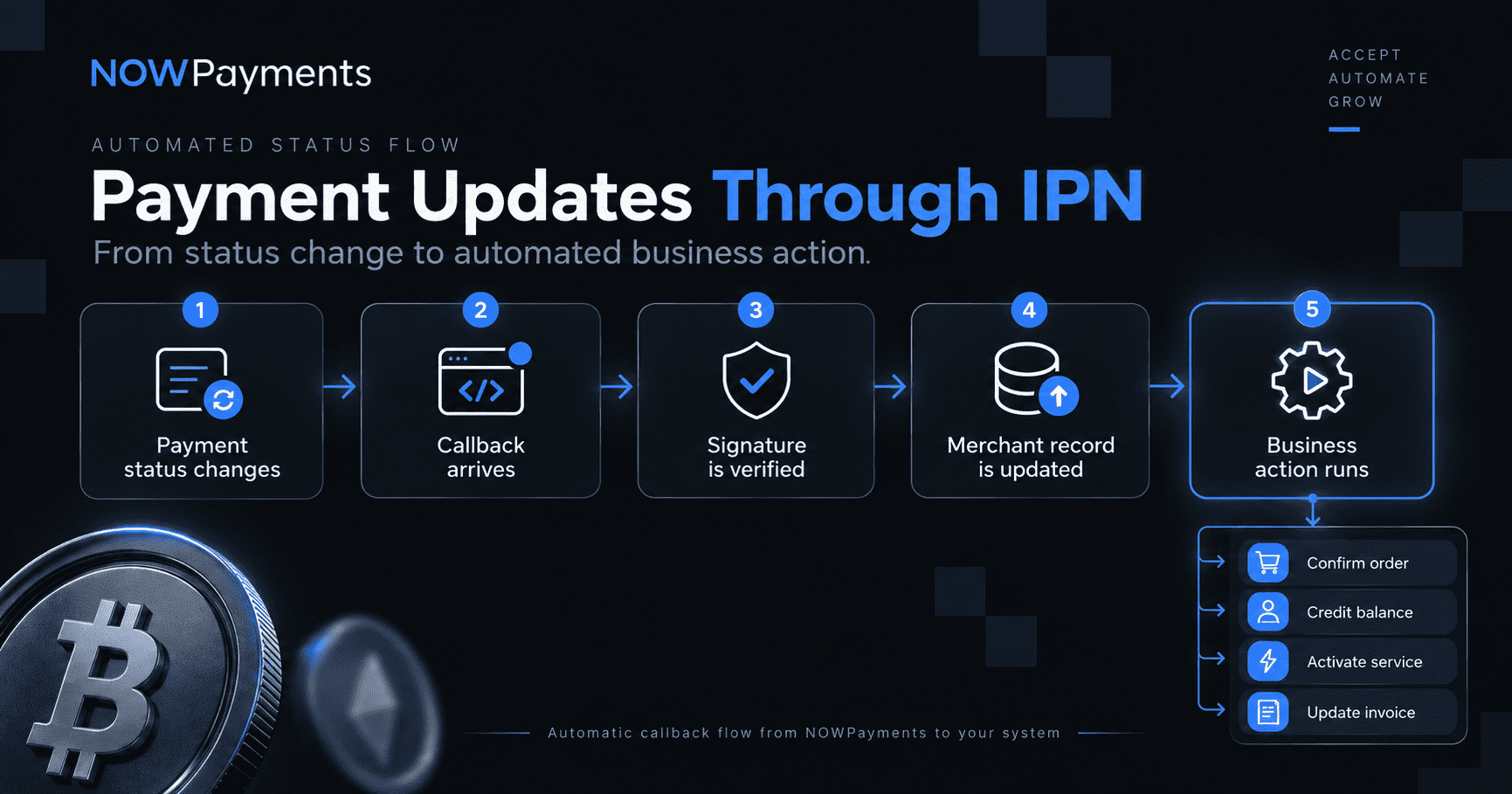
That final action depends on the product.
Your application may:
- confirm an order;
- credit a customer balance;
- activate a service;
- unlock a digital product;
- update a marketplace transaction;
- mark an invoice as paid.
Verify every IPN notification
Do not update a balance or fulfill an order simply because an incoming request says the transaction is finished.
NOWPayments includes its signature in:
x-nowpayments-sigYour application should prepare the callback payload according to the signing rules in the official NOWPayments API documentation, calculate the HMAC using SHA 512 and the IPN Secret Key, then compare the result with the received signature.
Only process the event when the signatures match.
Your callback logic should also be idempotent. If the same valid notification reaches your server twice, the system should not credit the customer twice or fulfill the same order again.
Handle Partial, Repeated, and Incorrect Payments
Customers do not always follow the ideal payment path.
They can send too little, use an old address again, choose the wrong network, or send funds after a payment has expired. Your production logic needs rules for those cases as well.
Partial payments
If a transaction becomes partially paid, compare the expected amount with the amount actually received.
Do not automatically deliver a fixed-price product as if the full amount had arrived.
Your application should decide whether to request the remaining amount, stop fulfillment, or send the transaction for another type of review.
Repeated deposits
A customer may send another transaction to an address that has already been used.
The API provides parent_payment_id information that can help connect a repeated deposit with the original payment instead of treating every incoming transaction as a new purchase.
Wrong asset or network
Check what was actually received.
The payment amount alone is not enough. If the customer sends an asset through a different network than the one expected by the payment, the transaction may require separate handling.
Expired or failed payments
Do not keep old payment details active indefinitely.
If a payment has expired, creating a new payment with current transaction conditions often gives the customer a cleaner way to try again.
Failed transactions should also leave your internal order in a clear state so the next attempt does not create conflicting records.
Refunds
If funds are returned, update the business side as well.
The order state, payment history, and accounting record should all reflect the refund.
A production integration needs to handle these situations before real customer traffic reaches them.
Alternative: Create an Invoice Through the API
The core flow above gives your application control over the customer interface and transaction logic. Some businesses do not need to build the complete payment screen themselves.
In that case, an invoice can be a better fit.
| Payment API | Invoice API | |
| Interface | Built inside your product | Hosted invoice page |
| UI control | High | Lower |
| Payment details | Displayed by your application | Displayed through the invoice flow |
| Best for | SaaS, marketplaces, apps, gaming, custom platforms | Services, B2B billing, simpler payment requests |
| Redirect URLs | Controlled by merchant logic | Success and cancel URLs can be configured |
The Invoice API starts with:
POST /v1/invoiceIt creates a hosted payment flow and returns a dedicated invoice URL. The request can also contain order information, callback settings, and redirect URLs.
Use the direct payment flow when your product needs more control over checkout. Use invoices when a hosted payment page is enough.
Neither option changes the need to connect payment results with your own business records.
Once Payments Work, Expand the Business Flow
At this point, the core integration is complete. Your application can create a payment, show the required information to the customer, receive status updates, and update your own system.
For many businesses, that is only the incoming side of the financial flow.
Revenue may later need to be held, converted, paid to sellers, distributed to affiliates, or used in another treasury process.
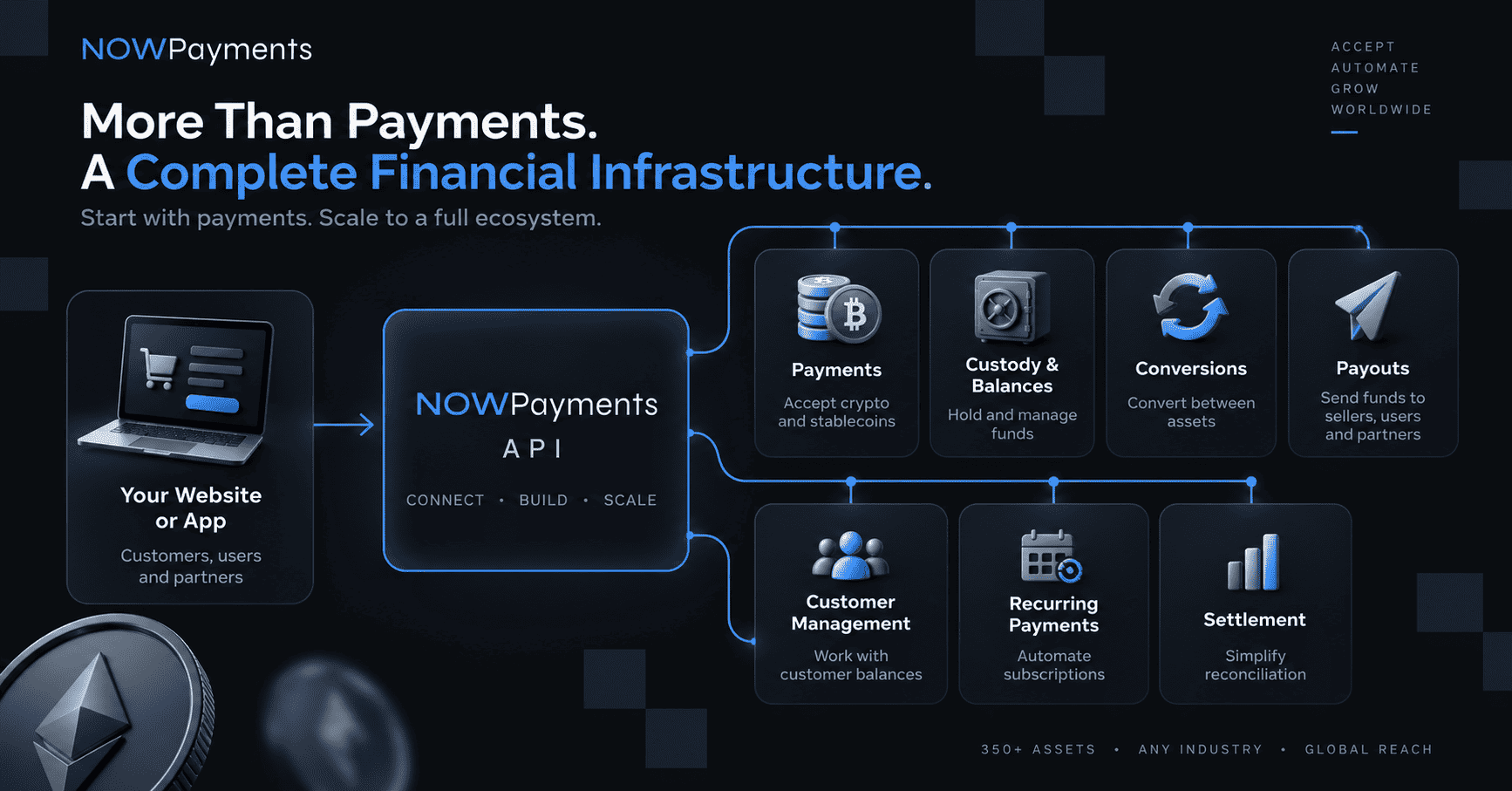
NOWPayments provides infrastructure for several of these operations:
| Business need | NOWPayments capability |
| Accept customer payments | Payment API and Invoice API |
| Manage outgoing payments | Mass Payouts API |
| Work with received funds | Custody and conversion flows |
| Build customer balance logic | Customer Management API |
| Automate recurring billing | Recurring Payments API |
| Connect crypto with available fiat withdrawal flows | Fiat Withdrawals API |
If you are still comparing the API with other integration methods, the guide to accepting crypto payments on a website covers plugins, invoices, widgets, and other options.
Automate Mass Payouts
Marketplaces pay sellers. Affiliate programs distribute commissions. Creator platforms pay contributors. Gaming businesses process user withdrawals. International companies pay contractors and suppliers.
Mass payouts connect these outgoing transactions with the business logic that already tracks balances and recipients.
A typical payout process looks like this:
- Authenticate.
- Check the available balance.
- Validate recipient details.
- Create the payout.
- Complete the required verification.
- Track its status.
- Reconcile it with the recipient record.
JWT authorization for payouts
Protected payout operations use an additional authorization step.
Request a JSON Web Token through:
POST /v1/authAccording to the current documentation, the token is short-lived and expires after five minutes.
This authorization belongs to the payout flow, so a business integrating only incoming payments does not need it for the first payment request.
Recipient information should be validated before funds are sent, including memo or tag data where the selected asset requires it.
For current payout endpoints and authorization requirements, use the NOWPayments API documentation.
For a broader practical overview, see the NOWPayments Mass Crypto Payouts Guide.
Standard mass payouts can be automated through API and typically complete in around one to three minutes depending on the asset and network.
The main benefit is not simply sending a blockchain transaction through code. It is connecting that transaction with the process that caused it.
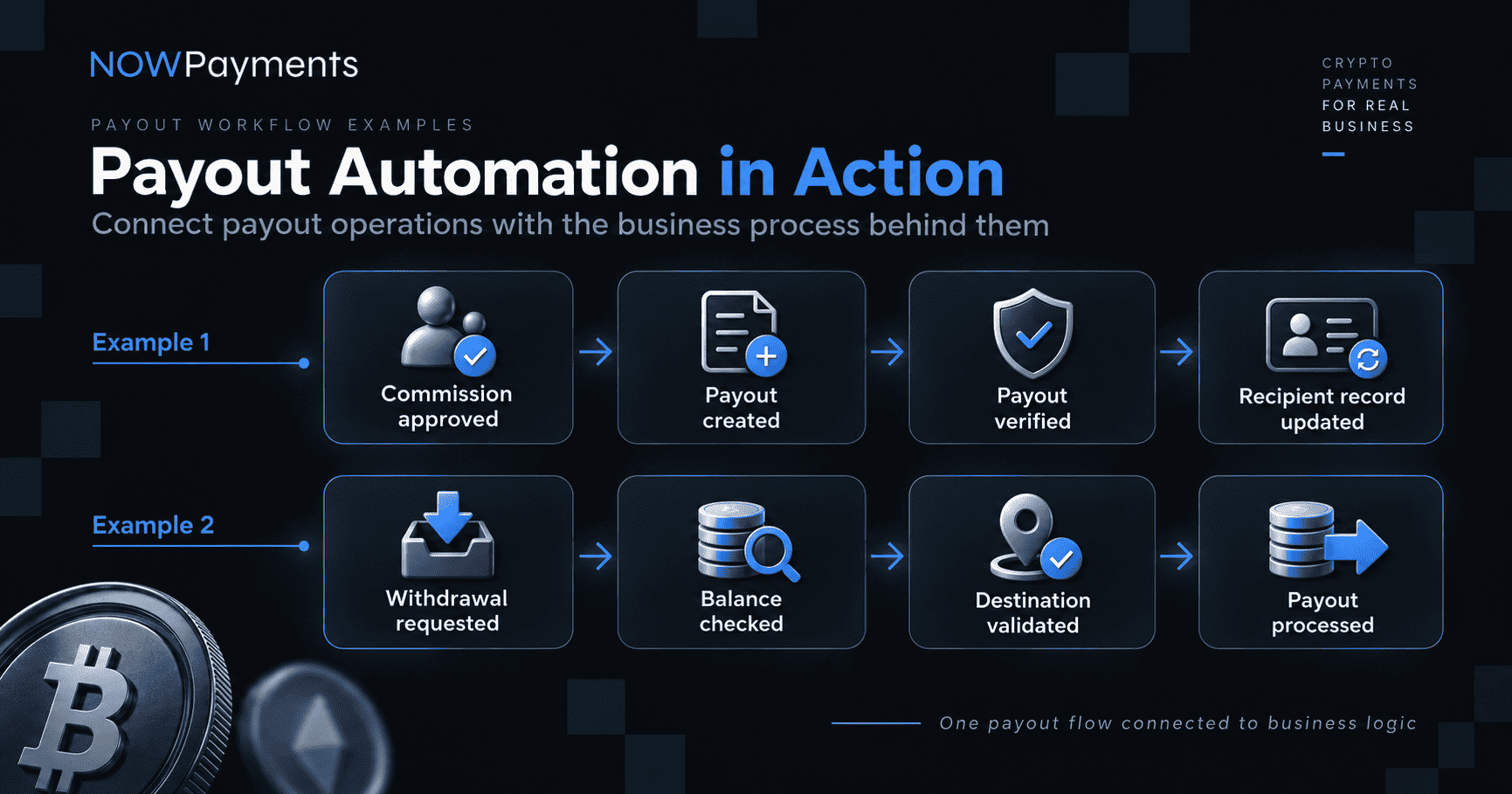
This becomes more valuable as recipient volume grows.
Reduce Payout Friction with Email Payouts
Standard blockchain payouts require the business to collect a wallet address and make sure the recipient provides the correct network information.
The ChangeNOW Pro ecosystem provides another option.
| Standard crypto payout | ChangeNOW Pro email payout | |
| Recipient identifier | Wallet address | |
| Network selection | Required | Not required from the recipient at the first step |
| Wallet collection | Required | Not required |
| Delivery | Depends on blockchain conditions | Under one second for eligible ecosystem transfers |
| Fees | 0% NOWPayments service fee; network fee applies | $0 network and service fee for eligible ecosystem transfers |
| Automation | API | API |
With email payouts, the business can identify the recipient by email instead of collecting an external wallet address first.
If the recipient does not yet have the required ecosystem account, the flow can support onboarding into ChangeNOW Pro.
This can reduce payout friction for:
- affiliates;
- creators;
- freelancers;
- marketplace sellers;
- contractors;
- reward program users.
The ChangeNOW Pro API payout guide explains how email recipient identification works inside the payout flow.
Eligible ecosystem transfers can complete in under one second with no network or service fee. These conditions apply to this specific ecosystem route and should not be applied to every external blockchain payout.
Recipient activity inside the wider ecosystem can also create affiliate cashback opportunities for eligible businesses, adding a monetization element to the payout relationship.
Connect Payments with Custody, Conversions, and Treasury Workflows
A successful customer payment does not have to move directly out of the system.
Once funds arrive, the business may want to keep the received asset, convert it, consolidate balances, withdraw it, or use the funds for future payouts.
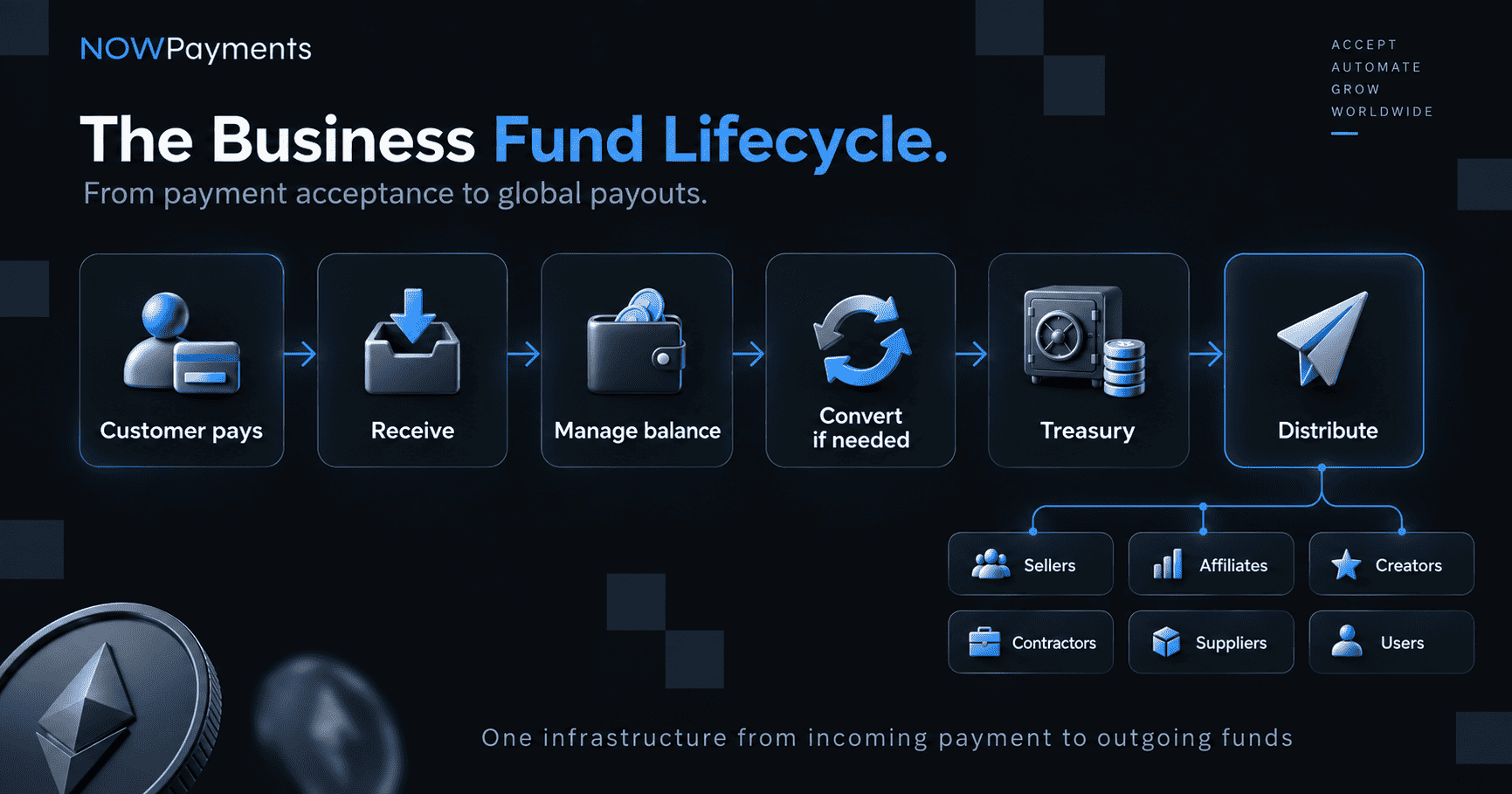
For example, customers may use several payment assets while the business prefers to keep part of its treasury in USDT or USDC. Another platform may receive stablecoins and later use the same balance for seller or supplier payouts.
The practical value is that incoming and outgoing operations connect through the same payment, wallet, conversion, and payout systems instead of running through separate ones.
The Genghis case study shows one example of this model, where checkout, settlement, fulfillment, and supplier payouts all connect through the same infrastructure.
Build the Integration for Scale
The questions around an API change as transaction volume increases.
A smaller integration may mainly need to create and track payments correctly. At higher volumes, businesses also need to know that callbacks, payouts, treasury operations, and internal records can continue working without adding manual work every time transaction volume grows.
NOWPayments publishes 99.99% API uptime, a 350 ms response time, and reports that 99% of payments are processed in under one minute.
For higher volume businesses, the infrastructure also includes:
- API and IPN automation;
- high volume payment and payout processing;
- Custody and treasury workflows;
- IP and wallet controls;
- transaction reconciliation;
- 24/7 business support;
- custom terms for larger requirements.
Pricing depends on the payment and conversion flow, with custom terms available for eligible business clients. See the NOWPayments pricing page for current rates.
At scale, the more important question is whether the financial flow can keep working as customer volume, recipient volume, and operational complexity increase.
Before Moving the Integration to Production
A successful API request does not mean the complete integration is ready for customers.
Before going live, check the full payment logic, including cases where the transaction does not follow the ideal path.
At minimum, verify:
- API authentication;
- currency and network mapping;
- minimum amount handling;
- payment estimates;
- payment creation;
- storage of payment_id and order_id;
- successful payment processing;
- partial payments;
- expired and failed payments;
- repeated deposits;
- wrong asset or network handling;
- IPN reception;
- invalid IPN signature rejection;
- repeated callback handling;
- API error handling;
- rate limit handling;
- internal reconciliation.
If your integration also uses payouts, verify:
- JWT authorization;
- recipient validation;
- memo or tag handling where required;
- payout creation;
- payout status handling;
- reconciliation.
Use the NOWPayments API documentation as the source for current endpoints, request fields, response structures, authentication requirements, and request limits.
Also check what customers see throughout the transaction.
A backend can work correctly while the checkout still leaves customers confused about a confirming payment, partial payment, or expired payment. Make sure the interface clearly explains the current status and what the customer needs to do next.
Build with the NOWPayments API
A working integration comes down to a clear sequence: authenticate the application, retrieve current payment data, calculate the amount, create the transaction, show the customer the correct details, track the payment, verify the callback, and update your own system.
Once that flow is working, the same infrastructure can extend into stablecoin balances, conversions, treasury operations, and payouts as the business grows.
Use the official NOWPayments API documentation for current endpoint schemas and implementation details, verify the complete payment logic before launch, and create a NOWPayments account when you are ready to move the integration into production.
Explore NOWPayments API Documentation
NOWPayments API FAQ
What is the NOWPayments API?
The NOWPayments API lets businesses connect websites, apps, and platforms directly with NOWPayments infrastructure. It can support payment acceptance as well as related operations such as payouts, custody, conversions, recurring payments, customer balances, and treasury workflows.
How do I get a NOWPayments API key?
Sign up. Confirm your email. Go to the dashboard and make a key. Keep it safe on your server. Send it in the x-api-key header when you call them.
What do I need to integrate NOWPayments API?
A NOWPayments account. An API key. A backend that can send requests. And a spot to save payment IDs next to your own order or customer info. If you want auto updates, get an IPN Secret Key too.
What is the difference between an API key and an IPN Secret Key?
API key is for you calling them. IPN Secret Key is for them calling you back, so you can check it’s really them.
What should I do after creating a payment?
Save the payment_id. Tie it to your order_id. Show customer amount, coin, network and address. Then watch it. Check status or wait for IPN.
How do I know when a NOWPayments payment is complete?
Check status. Or get an IPN when it changes. “Finished” means “done.” But don’t ship or credit until you check the transaction and the callback signature.
Can I accept USDT and USDC through the NOWPayments API?
Yes. Both work. They run on more than one chain. Don’t assume every network is always on. Check the current coin and network info when you need it.
What is the difference between Payment API and Invoice API?
Payment API gives you more control over checkout and payments. Invoice API gives you a hosted page with its own link, plus callback and redirect options.
Can I automate mass crypto payouts?
Yes. NOWPayments has API tools for making payouts, checking, verifying and tracking recipients. People use it for affiliate commissions, creator payouts, seller withdrawals, contractor payments, supplier payouts, and user withdrawals.


Be the first to comment