


Sending USDT manually works at a small scale. Once payouts become recurring, payroll, affiliates, and rewards turn into a slow, error-prone process. Batch payouts solve that by letting you send funds to multiple recipients in one operation. Below is a complete, practical walkthrough of how to set up and run USDT mass payouts using NOWPayments, with a focus on USDTBSC for speed and cost efficiency.
Why USDT Is the Go-To Asset for Mass Payouts
USDT is not just popular, it’s operationally convenient.
It removes volatility, so you don’t need to worry about price swings between sending and receiving. It’s supported across nearly all wallets and exchanges, which reduces friction for recipients. Most importantly, it runs on multiple networks, giving you control over fees and transaction speed.
That flexibility is exactly what makes USDT suitable for mass payouts, but it also creates a new problem, which is choosing the right network.

The Problem with On‑Chain Payouts and a Way Around It
On‑chain mass payouts work, but they force three persistent frictions on your operation:
- Network mismatches can delay or reject payments.
- Per‑transaction fees multiply rapidly with payout volume.
- Address collection and validation create a constant risk of error.
Settlement can also take hours when networks are congested. These are not product flaws; they are simply how blockchain settlement works. For many teams, however, they represent unnecessary overhead.
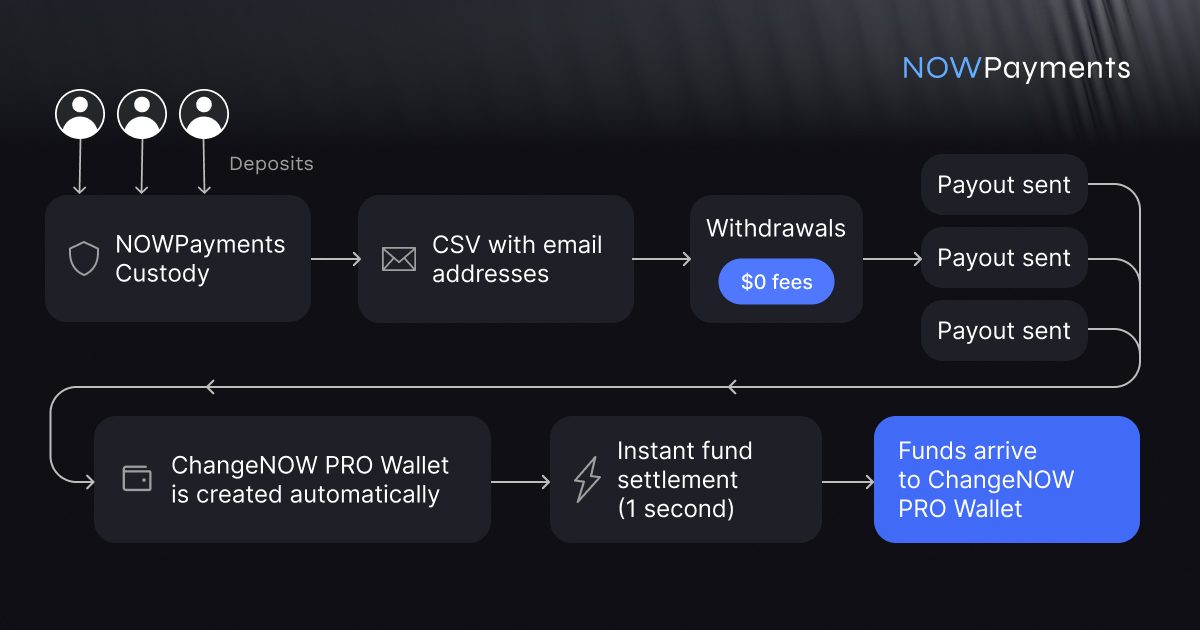
NOWPayments offers an alternative: send payouts to email addresses instead of wallet strings. Funds settle instantly inside a ChangeNOW PRO account, automatically created for each recipient. There is no network to select, no gas fees, and delivery completes in under one second.
If removing the network management layer from your payout process would benefit your operation, the next sections explain exactly how this method works and how it can reduce your payout costs to zero.
When You Actually Need Mass Payouts
Manual transfers break faster than people expect. The moment payouts become recurring or involve multiple recipients, the process becomes inefficient.
Mass payouts are essential if you:
- Pay salaries in crypto
- Run affiliate or referral programs
- Distribute rewards, cashback, or commissions
- Work with freelancers globally
At around 10+ transactions per batch, manual handling stops making sense. Past that point, you’re just wasting time and increasing the chance of mistakes.
How to Send USDT Mass Payouts via NOWPayments
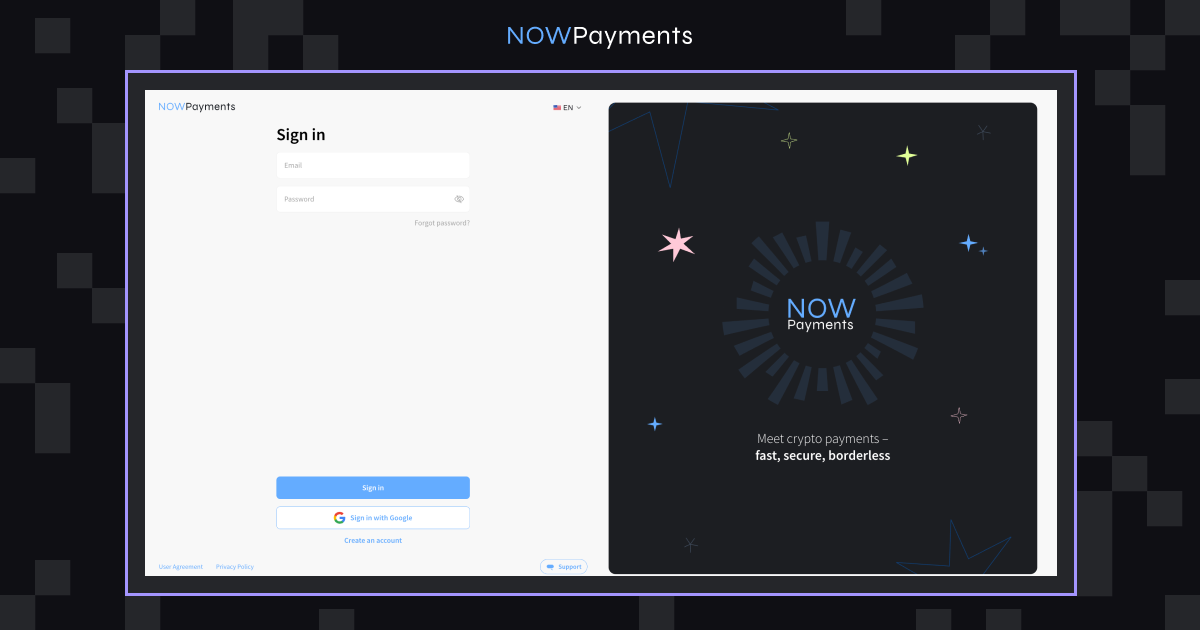
Step 1. Create an Account or Sign In
Start with a NOWPayments account. If you already have one, just log in, there is no extra setup needed at this stage.
Step 2. Generate Your API Key
Go to your dashboard → API Settings → generate your API key.
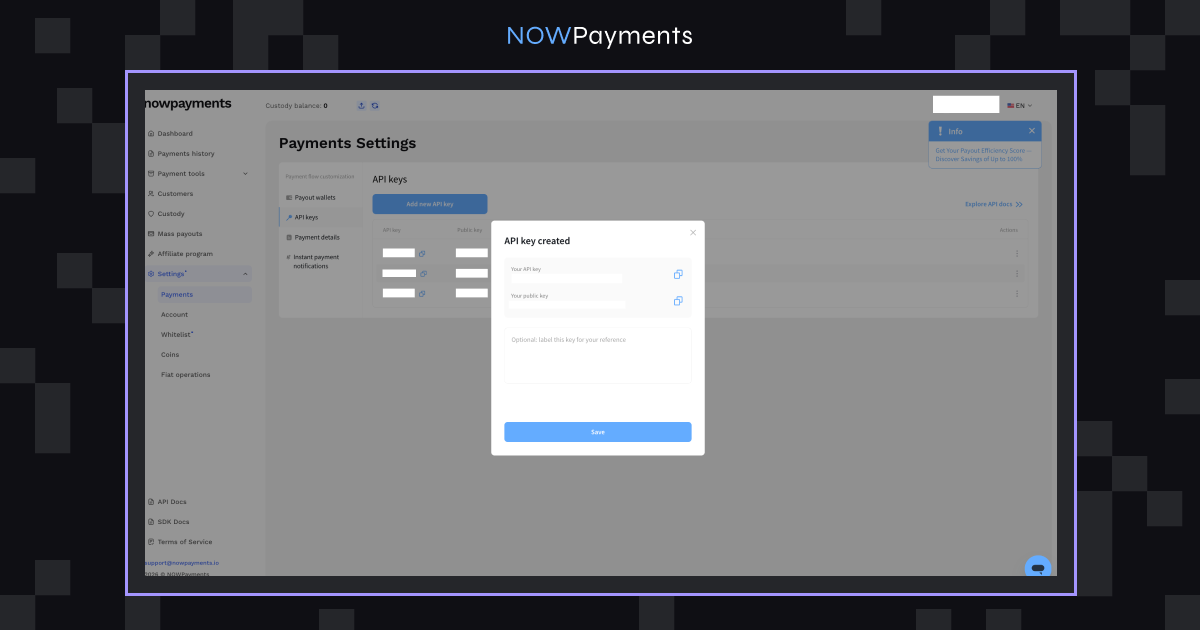
Even if you plan to use the dashboard first, do this upfront. Most teams switch to automation later, and skipping this step early just creates extra work.
Step 3. Enable USDTBSC (BEP20)
Go to Payment Settings and activate USDT on Binance Smart Chain (BEP20).
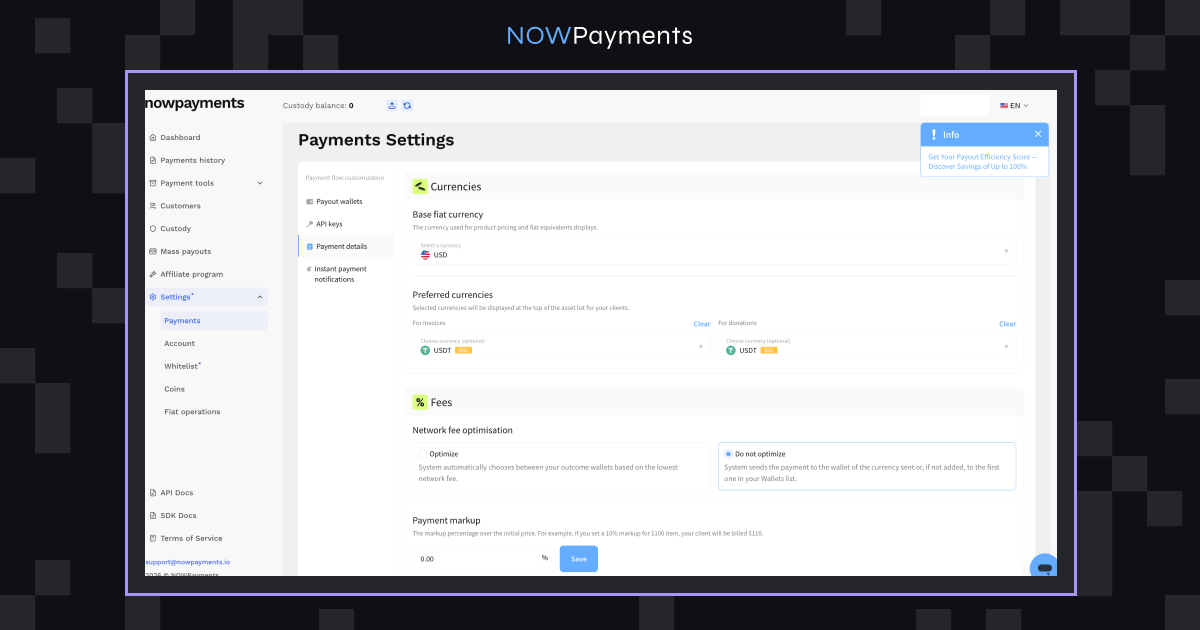
This ensures all payouts are processed on the correct network, which directly affects fees and speed.
Step 4. Activate Custody
Enable Custody in your dashboard.
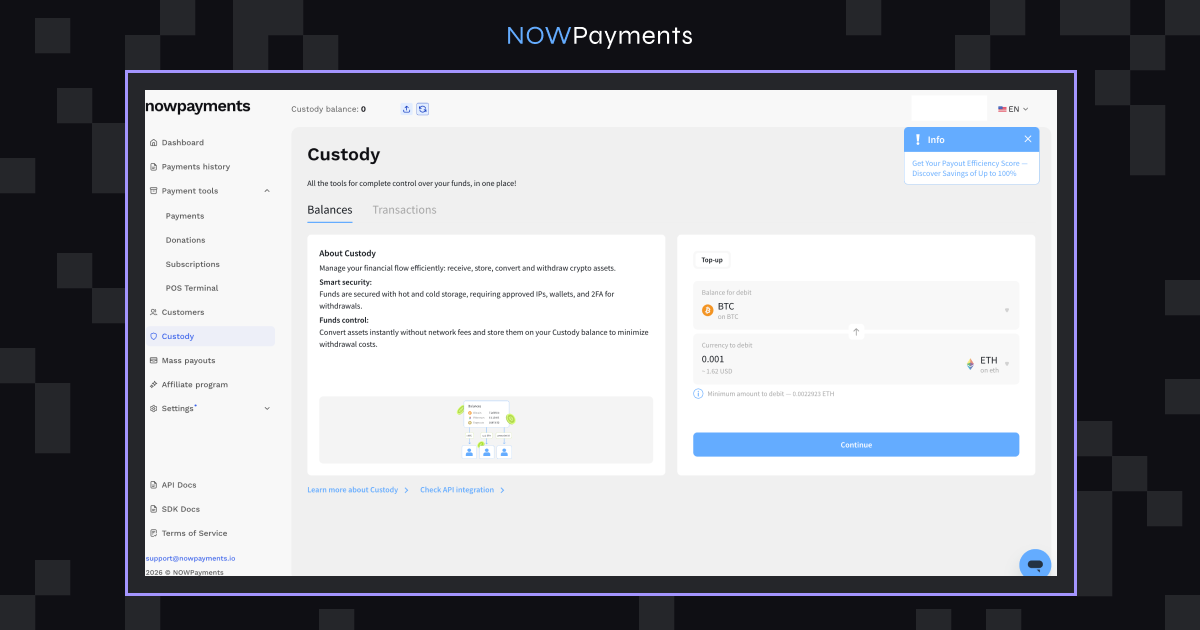
This gives you better control over funds and helps reduce network-related costs. If you skip this, you’ll likely end up paying more than necessary.
Step 5: Whitelist IPs and Wallet Addresses
This step is about security, and it’s not optional if you care about your funds.
- Add your IP address in Whitelist IPs
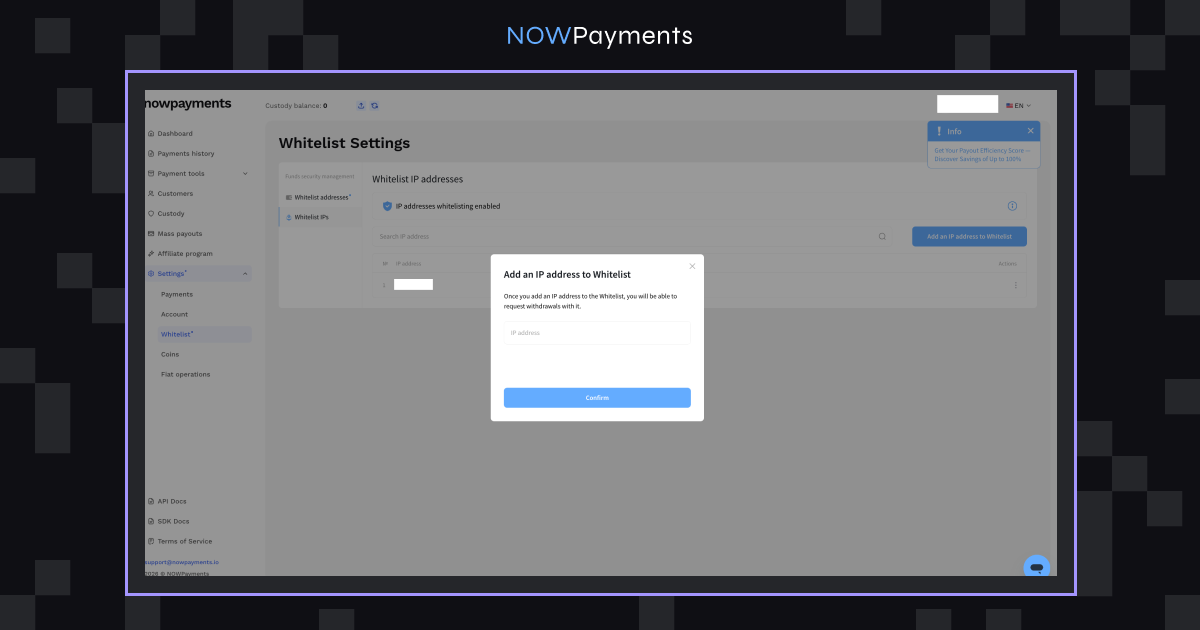
- Add recipient wallet addresses:
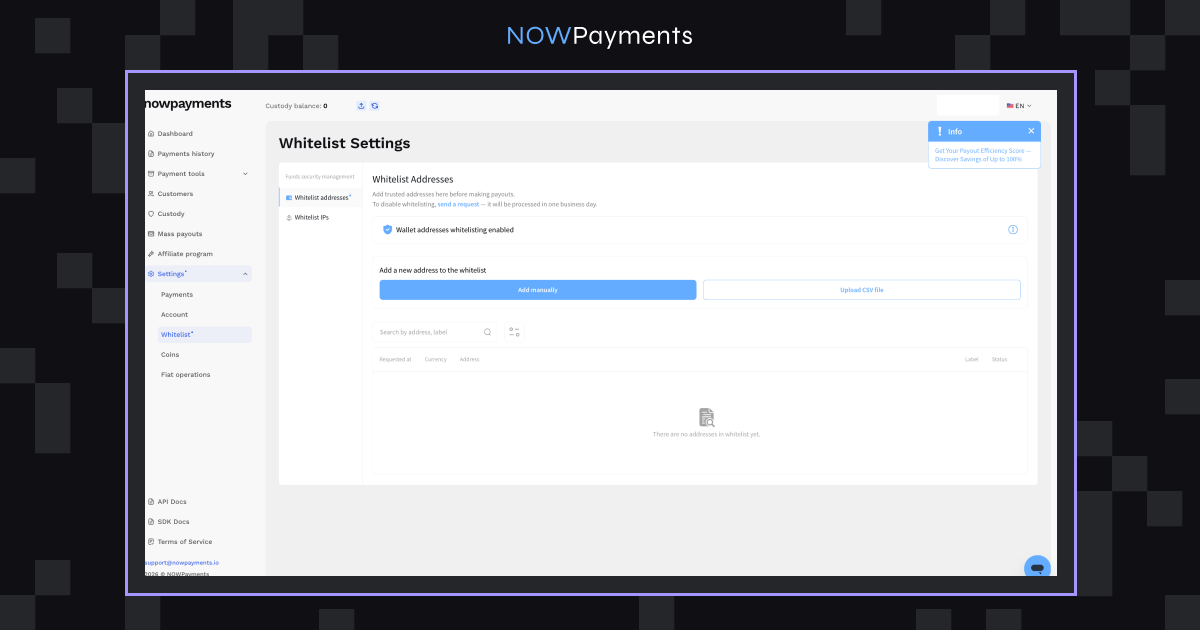
This prevents unauthorized payouts and reduces risk if your account is ever compromised.
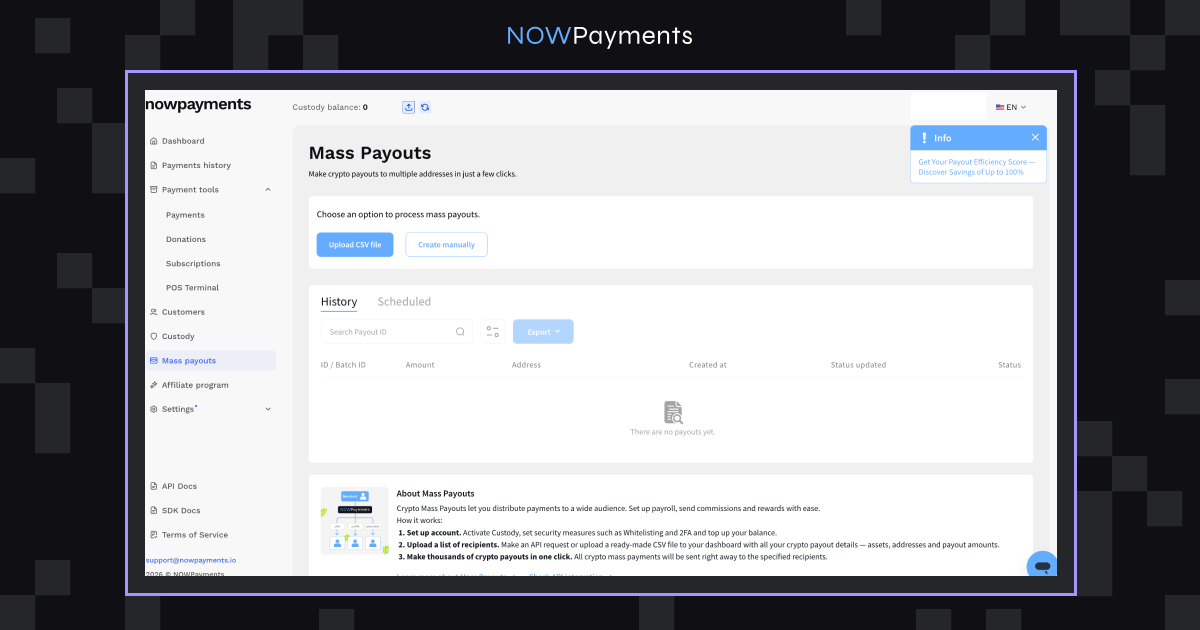
Step 6: Create a USDT Mass Payout
You have three ways to send payouts. The right one depends on your scale.
Option 1. Upload a CSV File
What to do:
- Download the CSV template
- Add payout details:
- Wallet address
- Currency (USDT)
- Amount
- Network (BEP20)
- Upload the file in the Mass Payouts section
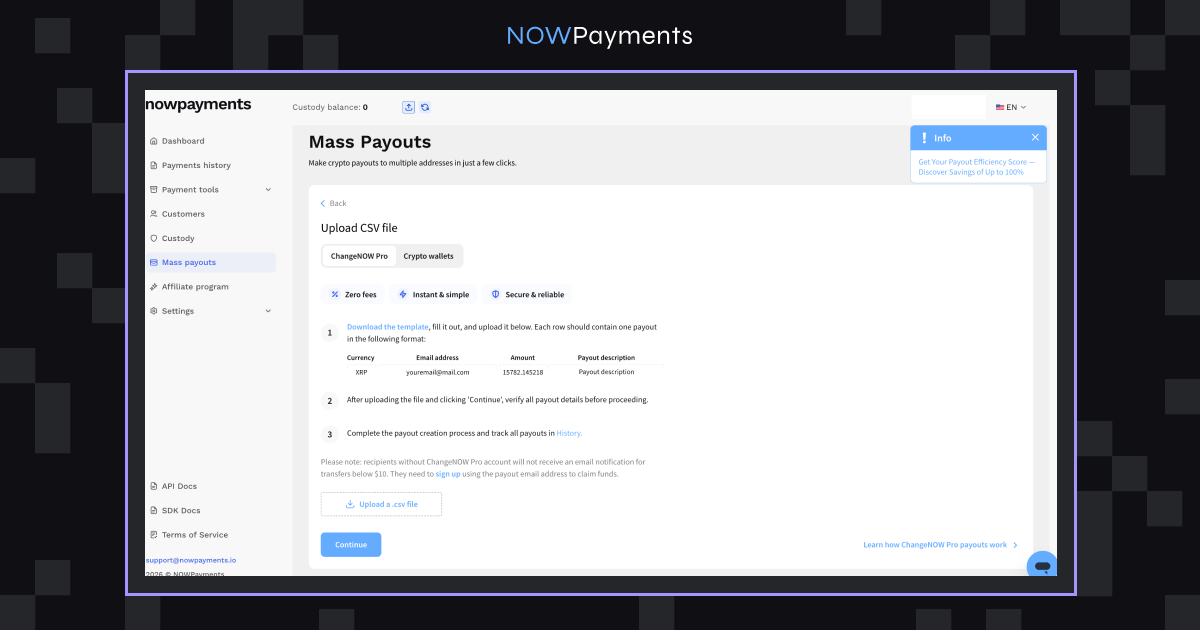
Important details:
- Addresses must match the network
- Formatting must be exact
- Some currencies require memo/tag (not USDT, but worth remembering)
Once uploaded, processing starts automatically.
Option 2. Manual Payout via Dashboard
- Select USDT (BEP20)
- Enter wallet address
- Enter amount
- Confirm
Option 3: API Payouts
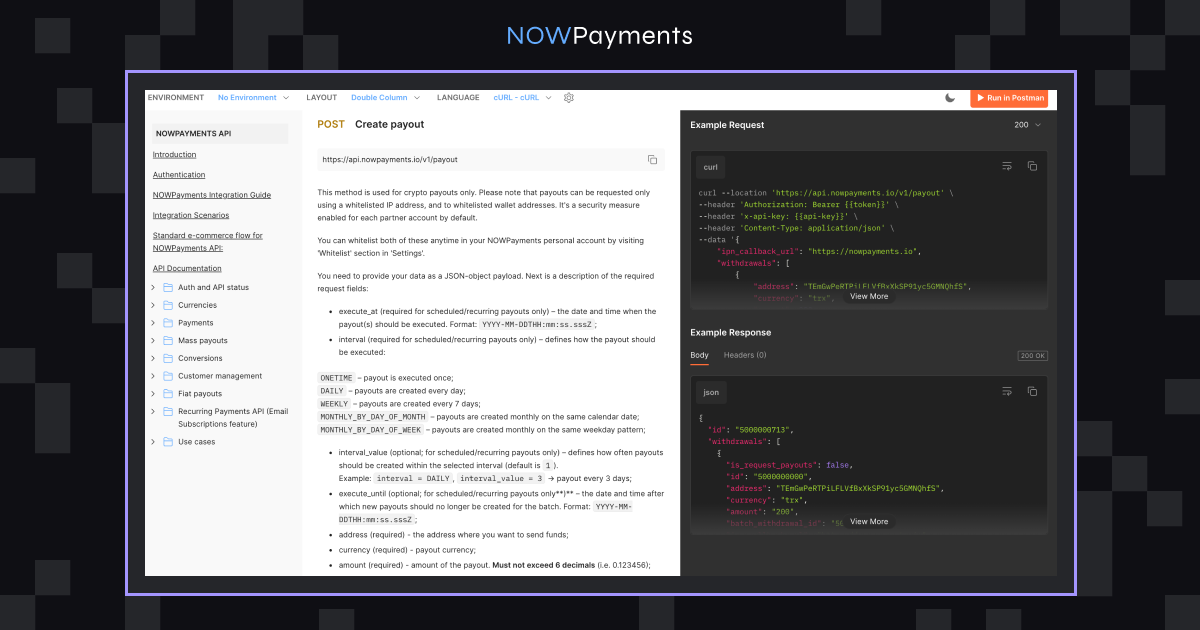
If payouts are part of your product or run regularly, use the API.
Flow:
- Create payout → POST /create/payout
- Verify payout → POST /verify/payout
- Track status → GET /payout/:id
For more information, please see our API Documentation.
This allows:
- Scheduled payouts
- Instant affiliate rewards
- Fully automated payroll
At this point, payouts become infrastructure, not a manual task.
Step 7: Confirm Payout with 2FA
Every payout must be verified.
- Dashboard → enter 2FA code
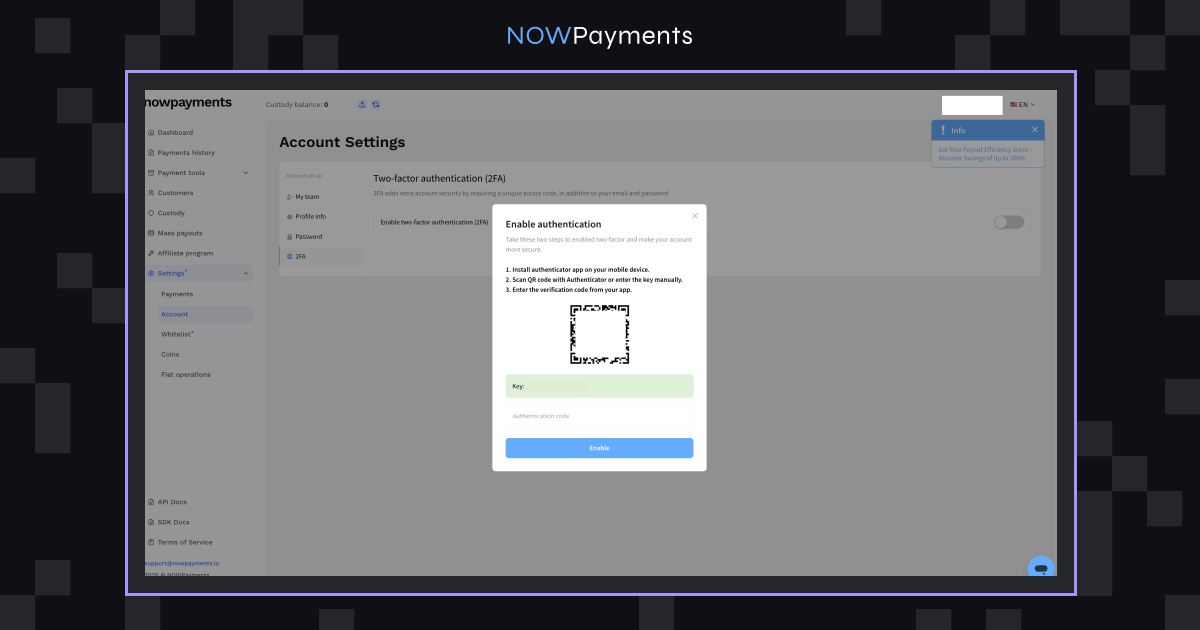
- API → use verification endpoint POST
Note. You can turn off 2FA at any time, but doing so will make things less safe.
To turn off 2FA, send an email to [email protected] with the following message:
“I’d like to confirm to disable 2FA for payouts and take all the risks related to it.”
It could take up to two business days (Monday through Friday, 9 AM to 5 PM UTC) for this to happen.
Step 8: Integrate with Your Platform
Once everything is set up, you can plug payouts into your system.
This is where it becomes powerful:
- Trigger payouts automatically
- Connect to internal logic (users, balances, rewards)
- Remove manual steps completely
Step 9: Monitor Transactions in Real Time
The dashboard gives you full visibility:
- Pending
- Processing
- Completed
- Failed
You always know what’s happening with your payouts without any guesswork.
A Smarter Alternative: Zero‑Fee Payouts to ChangeNOW PRO Wallets
Once your on‑chain setup is live, you no longer need to repeat it for every batch. A faster path exists that removes the largest cost items entirely.
What changes
Instead of wallet addresses, you provide email addresses. Funds settle instantly in a ChangeNOW PRO account that is automatically created for each recipient. Your business never interacts with a blockchain network.
Operational impact
- Cost. $0 network and service fees. Save up to $5,000 on a batch of 1,000 payouts.
- Speed. Delivery in under one second, with no blockchain confirmation.
- Accuracy. You only handle email addresses, so wallet‑string errors, network mismatches, and checksum failures disappear.
- Onboarding. Recipient accounts are created at the moment of sending. The recipient simply signs up to claim the funds and immediately gains a full crypto platform.
- Engagement. Each recipient gets access to 900+ assets, zero‑fee internal transfers, and 24/7 support. A single payment turns into a lasting user relationship.
- Revenue. Affiliate cashback on recipient activity inside ChangeNOW PRO converts your payouts into recurring income.
This is not a separate product. It is a payout destination within your existing NOWPayments account. You can route all payouts through it or mix email‑based and on‑chain delivery in the same workflow.
Side‑by‑Side: Traditional vs. ChangeNOW PRO Payouts
The operational differences become even clearer when the two methods are placed side by side. Both approaches deliver USDT to recipients, but their cost structures, speed, and error profiles are fundamentally different. The table below quantifies these differences across the dimensions that matter most to a scaling business.
| Aspect | Traditional On‑Chain Payouts | Payouts to ChangeNOW PRO Wallets |
|---|---|---|
| Network fees | High, variable | $0 |
| Service fees | Often applied | $0 |
| Settlement time | Minutes to hours | Under 1 second |
| Recipient requirement | Pre‑existing wallet, correct network | Email address only |
| Address errors | Irreversible loss possible | No wallet string to misplace |
| Support tickets | Frequent | Minimal |
| Recipient relationship | One‑time transaction | Ongoing (full crypto super‑app) |
| Additional revenue | None | Affiliate cashback on recipient activity |
For a batch of 1,000 payouts, the fee line alone is decisive: $0 versus potentially thousands of dollars. The hours saved on address collection, error correction, and support further widen the gap. If recipients only need to receive value without requiring a specific self‑custody setup, ChangeNOW PRO payouts are the fastest and least expensive path available.
How to Send Mass Payouts to ChangeNOW PRO Wallets
The email‑based workflow is simpler than the on‑chain setup. You use the same NOWPayments account and dashboard, but skip network configuration and wallet validation entirely.
1. Access your account
Sign up or log in to NOWPayments
2. Go to Mass Payouts
Find the section in your dashboard
3. Provide the data
Upload a CSV file or manually input email addresses and amounts.
4. Send the payouts
Payouts process instantly with $0 fees
Common Mistakes That Will Cost You Money
Most payout issues are self-inflicted.
- Wrong network → funds may be lost
- Incorrect wallet → irreversible loss
- Broken CSV → batch fails
- Missing balance → partial execution
The simplest way to avoid problems: run a small test batch first.
Why ChangeNOW PRO Payouts Eliminate the Most Common Errors
Switching to payouts to ChangeNOW PRO wallets removes all classic failure modes:
- Wrong network. There is no network to choose, so a mismatch simply cannot occur.
- Incorrect wallet address. You send to an email address, which is automatically linked to the recipient’s ChangeNOW PRO account. No wallet string ever enters the process.
- Broken CSV. Only two fields are required: email and amount. With so little to fill in, formatting errors become rare.
- Missing balance. Zero fees mean your full balance goes toward payouts, making shortfalls far less likely.
By removing the most fragile parts of the payout process, email‑based payouts to ChangeNOW PRO prevent the majority of support tickets and irreversible losses before they can happen.
Why NOWPayments Makes USDT Payouts Easier
The core value of NOWPayments is reducing operational friction, whether you send on‑chain or via email.
- No service fees, even at high payout volumes.
- Zero‑fee email payouts to ChangeNOW PRO with instant delivery and auto‑created recipient accounts.
- A clear dashboard for manual batch processing.
- A full API for complete automation.
- Custody helps keep on-chain costs under control.
The ecosystem advantage
When you send payouts to ChangeNOW PRO, you onboard recipients into a crypto ecosystem that benefits both sides. Recipients get a secure wallet with 900+ assets, free internal transfers, and 24/7 support in over 15 languages. Your business earns affiliate cashback on their future activity, turning a cost center into a growth loop that expands with every payout.
Final Thoughts
Mass payouts become truly efficient when you treat them as automated infrastructure rather than one‑off manual tasks. Both on‑chain USDT transfers and zero‑fee email payouts to ChangeNOW PRO serve that goal; the right choice depends on your recipient base and cost priorities.
If you already work with wallet‑based recipients, the on‑chain process in this guide is a reliable fit. If you are starting fresh or want to eliminate payout costs entirely, ChangeNOW PRO payouts are the natural choice. For a personalized recommendation based on your volume and setup, take the free payout playbook assessment.
Still deciding which payout model is right for you?
Get your personalised payout playbook →
FAQ
Which USDT network is best for mass payouts?
In most cases, use TRC20 or BEP20, with BEP20 currently being the fastest option on NOWPayments.
Can I send USDT mass payouts with zero fees?
Yes. By sending payouts to ChangeNOW PRO wallets via email, you pay $0 network fees and $0 service fees. Delivery is instant, and recipients get a free crypto account.
Do recipients need a ChangeNOW PRO account before I send the payout?
No. An account is created automatically when you send the payout to their email. They simply sign up after receiving the notification to claim their funds.
Can I use both on‑chain payouts and email‑based payouts at the same time?
Absolutely. Your NOWPayments account supports both methods. You can mix them in different batches depending on recipient preferences.
Can I automate USDT payouts?
Yes. The API allows full automation, including recurring payouts.
Can I schedule USDT payouts?
Yes. NOWPayments supports scheduled payouts via API using the Scheduled Withdrawals feature.
Are USDT payouts reversible?
No. Transactions are final, so accuracy is essential.
How do I track payouts?
Through the dashboard or API, both provide real-time status updates.
Can I mix different networks in one batch?
No. Each payout must match the recipient’s wallet network.



Be the first to comment